


TradingFXVPS
SmartRoute
MT4/MT5 Latency Optimizer
Monitor your MT4 and MT5 terminals, find lower-latency broker routes, and automatically switch to the fastest available connection.
NEW TRADING TOOL
Smarter Latency Management
Find a Better Route
Without the Manual Checking
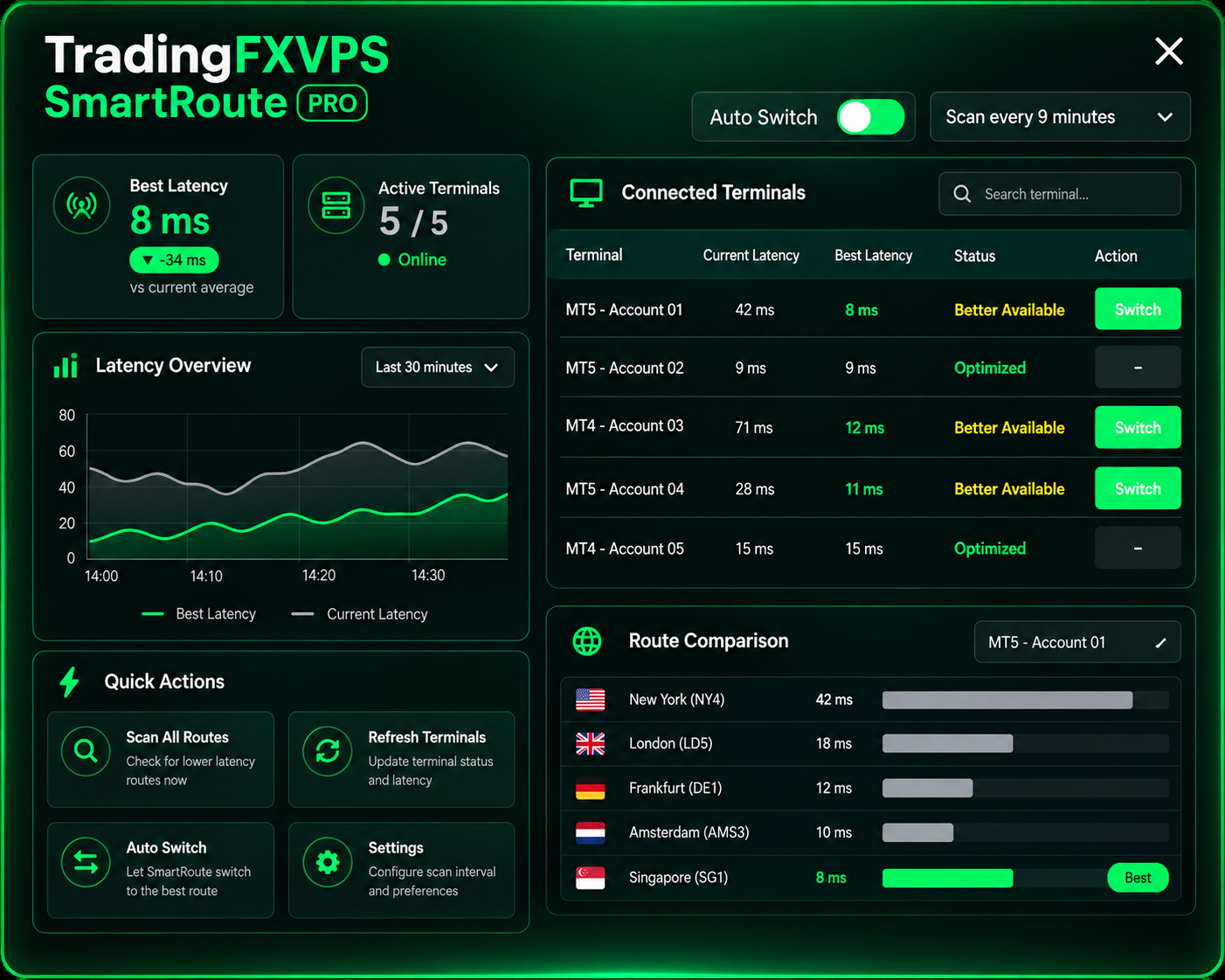
SmartRoute continuously monitors your connected MT4 and MT5 terminals and checks available broker access points for lower-latency connections, so you never have to test routes by hand.
Real-Time Monitoring
Monitor the current latency of every connected MT4 and MT5 terminal from one interface.
Automatic Scanning
Scan available broker access points to identify lower-latency connections.
Smart Switching
Switch a terminal to a better available route directly through SmartRoute.
See How SmartRoute
Works
Watch SmartRoute detect connected MT4 and MT5 terminals, scan available broker routes and identify lower-latency connections.
Something Awesome
is Comming!
Quick Setup
How SmartRoute Works
01
Connect the Bridge
Add the SmartRoute Bridge indicator to your MT4 or MT5 terminal.
02
Launch SmartRoute
Open SmartRoute on your TradingFXVPS server.
03
Scan Routes
SmartRoute checks available broker access points for lower latency.
04
Switch Route
Move to a lower-latency connection with one click.
05
Automate It
Enable Auto Switch and choose your scan interval.
One Dashboard. Every Terminal.
Manage MT4 & MT5 Latency
From One Place
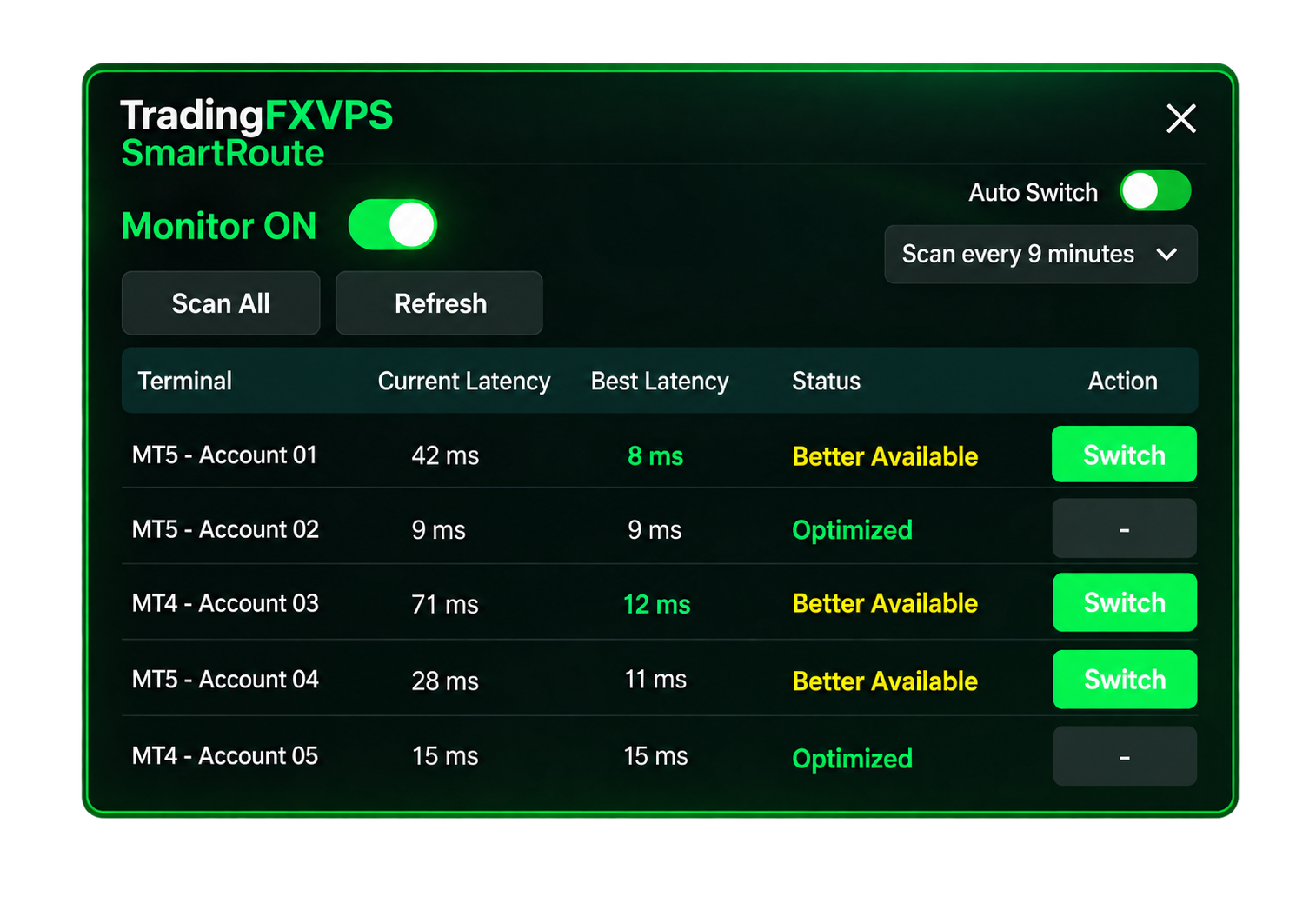
Whether you run one terminal or several, SmartRoute gives you one place to monitor connections, compare latency and switch routes.
- Multi-terminal monitoring
- Current vs best latency comparison
- One-click route switching
- Automatic rescanning
- Manual or Auto Switch control
Frequently Asked Questions
What is TradingFXVPS SmartRoute?
SmartRoute is an MT4/MT5 latency optimizer that monitors connected MetaTrader terminals, checks available broker access points and identifies the lowest-latency route it detects.
Does SmartRoute support MT4 and MT5?
Yes. SmartRoute is designed to work with both MetaTrader 4 and MetaTrader 5 through the appropriate SmartRoute bridge.
Can SmartRoute monitor multiple terminals?
Yes. SmartRoute can detect and monitor multiple compatible MT4 and MT5 terminals running on the same machine when the required bridge has been attached.
Do I need to install anything in MT4 or MT5?
Yes. The appropriate SmartRoute bridge needs to be attached to the MetaTrader terminal so the SmartRoute application can detect and communicate with it.
Does SmartRoute guarantee a specific latency?
No. Available latency depends on factors such as your broker, broker access points, VPS location, network conditions and the available routes. SmartRoute is designed to identify and select the lowest-latency route it detects from the available options.
What does Current Latency mean?
Current Latency shows the latency of the route currently being used by the terminal.
What does Best Latency mean?
Best Latency shows the lowest-latency available route detected during SmartRoute’s scan.
Does SmartRoute switch routes automatically?
It can. You can switch manually when SmartRoute finds a better route or enable Auto Switch to automate the process.
How does Auto Switch work?
You select a scan interval and SmartRoute periodically rescans the connected terminals. When it detects a better available route, it can automatically switch the terminal.